

|
|
|
dBMerge Main Page |
dBMerge: software for integrating multisourced data -- Tour of features and operations dBMerge is a data integration program that allows you to merge data from multisourced files to new, merged data output databases. Main Menu Overview 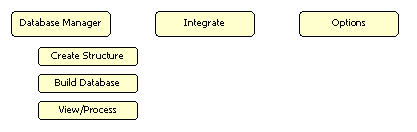
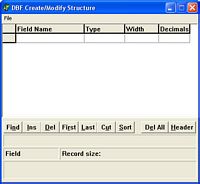 Create Structure Create Structure
The Create Structure operation is used to create a new database structure manually. This is not a required step to merge databases. Create Structure is an optional feature that enables you to develop a database from scratch using dBMerge and is not directly required for database merge operations. Use the file structure that you create by appending records from existing ASCII, CSV, and other structures using the View/Process feature (see below). Build Database The Build Database operation is used to build a new database from existing data. The Source File (see graphic) is converted to the Output database in a manner that corresponds to the specified Data Definition File. Build Database is an optional feature that enables you to develop a database using a Data Definition File and is not directly required for database merge operations. 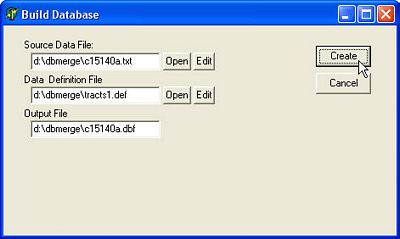
View and/or Process Database 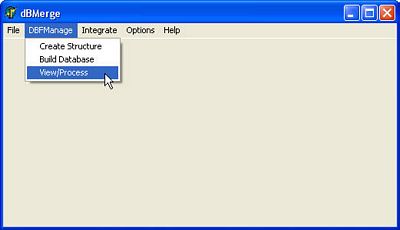
View and Manipulate a Database (see related detailed tutorial) Note the extensive associated operations that can be performed using the integrated DataView module. 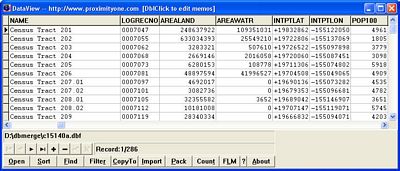
Merge Databases (see related tutorial) 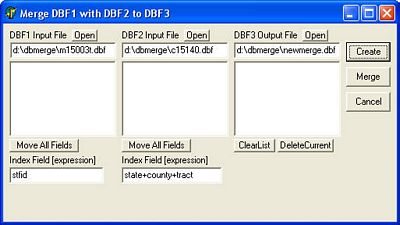
Merge Databases - load field (see related tutorial) 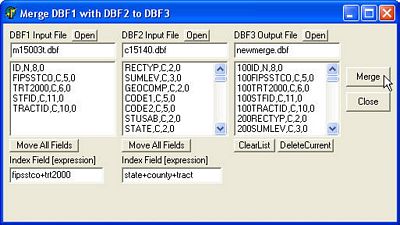
Set Options Set your preferences that are initialized when you start dBMerge. 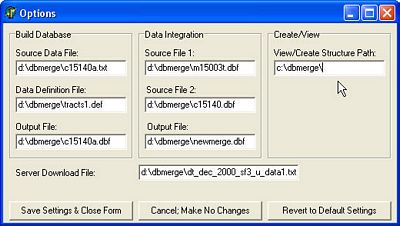
[goto top] |
|
|